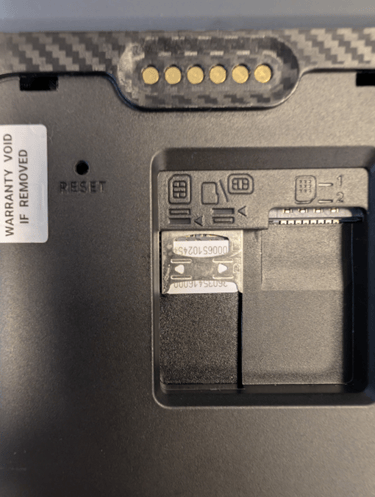
For F1 terminals with built-in battery:
- Turn off the terminal.
- Open the back cover of the terminal
- Insert the SIM card in the same direction as shown in the photo.
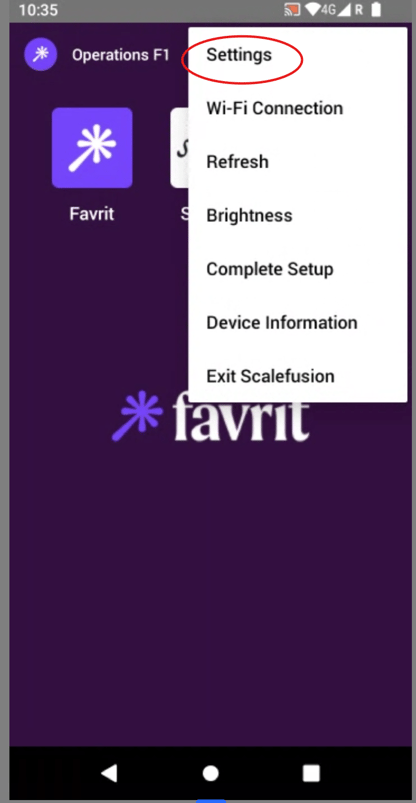
- Turn on the terminal, tap the three dots at the top, and select Settings.
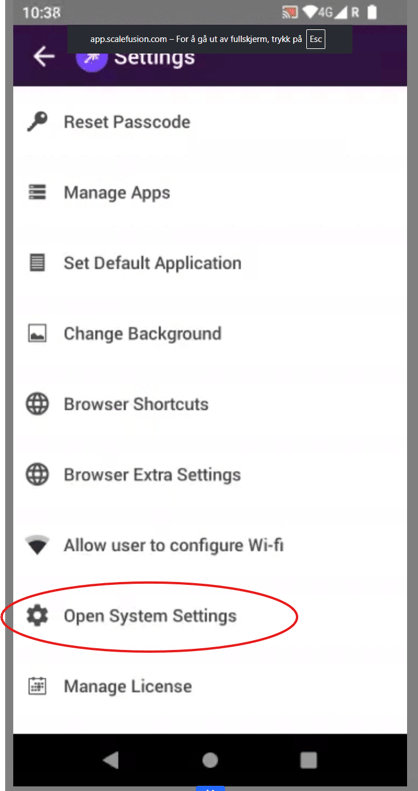
- Select Open System Settings.
- Select Network & Internet.
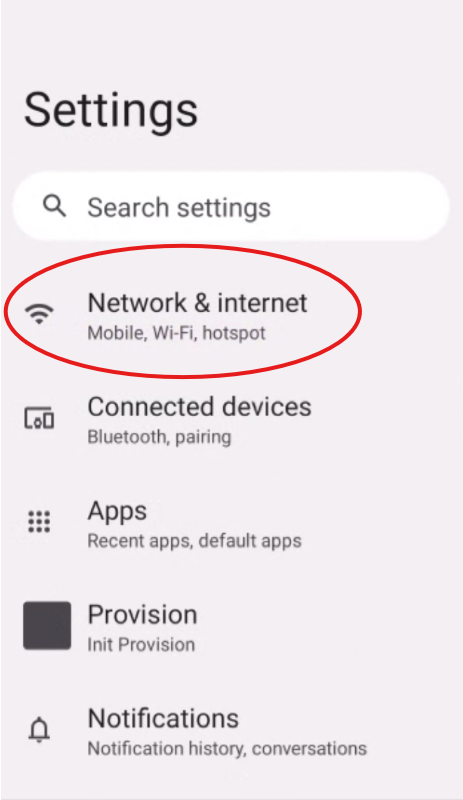
- Select Mobile network.
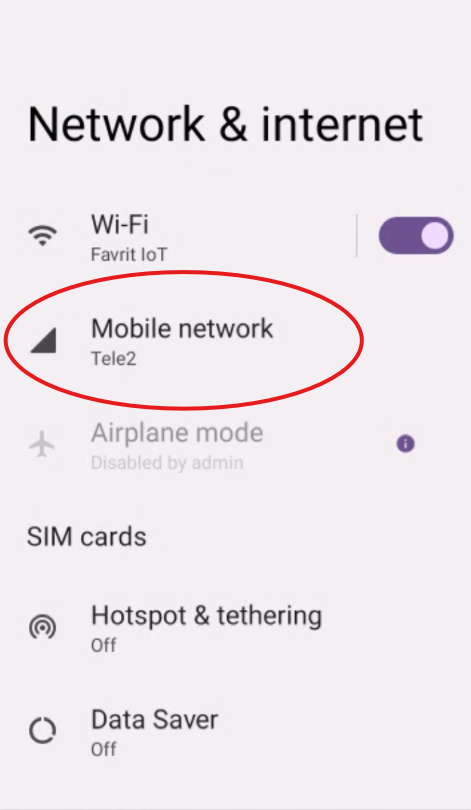
-
Enable Roaming.
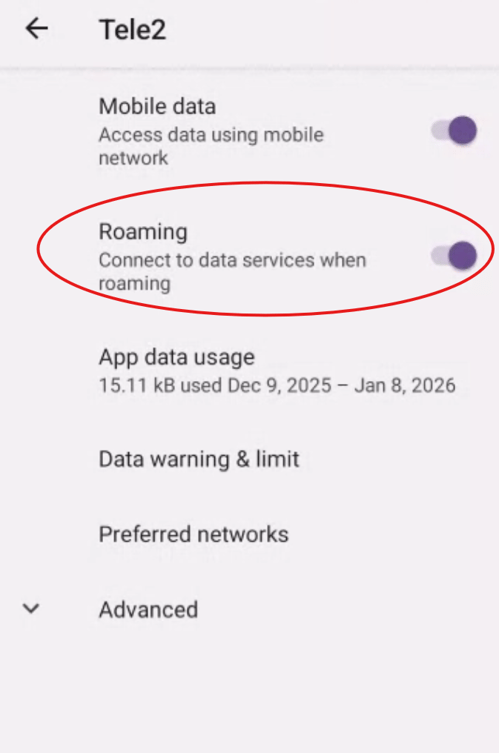
Once roaming is enabled, the terminal should work. However, in some rare cases the SIM card may not connect to mobile data. If that happens, do the following - On the same page as in step 8, select Advanced and scroll to the bottom.
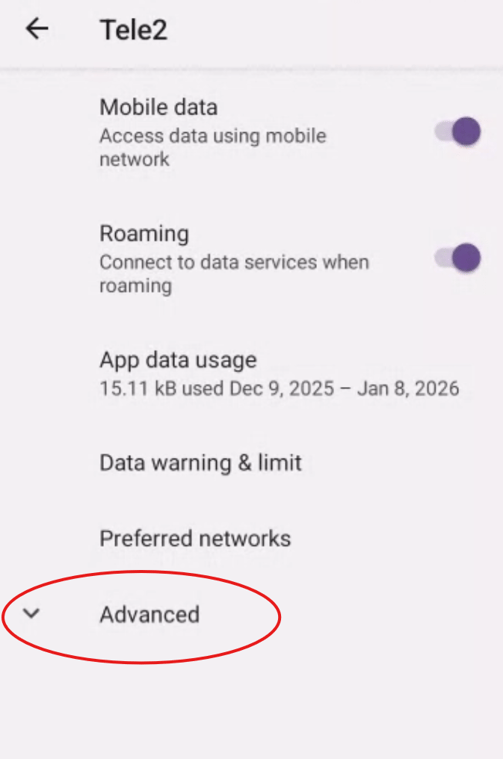
- Select Access Point Names.
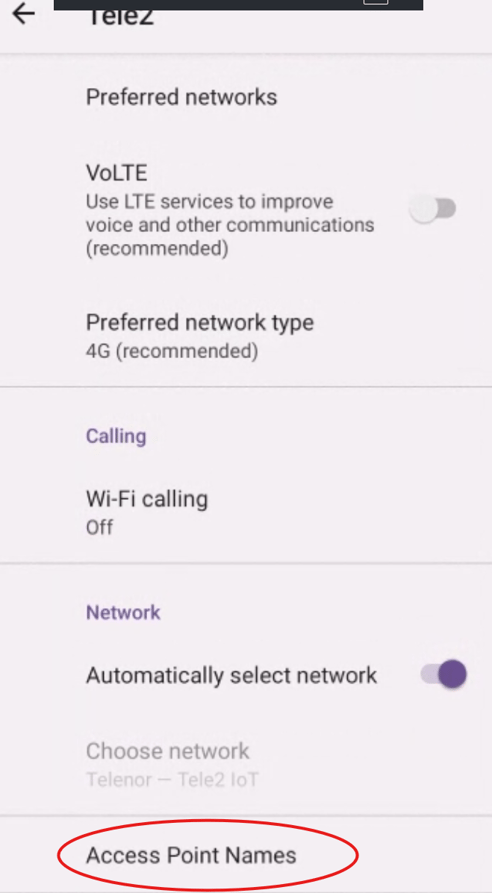
- Create a new access point by tapping the + icon.
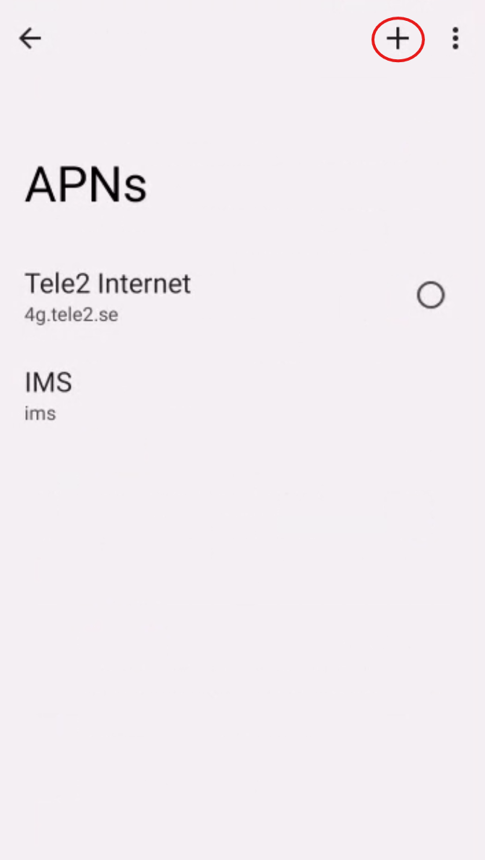
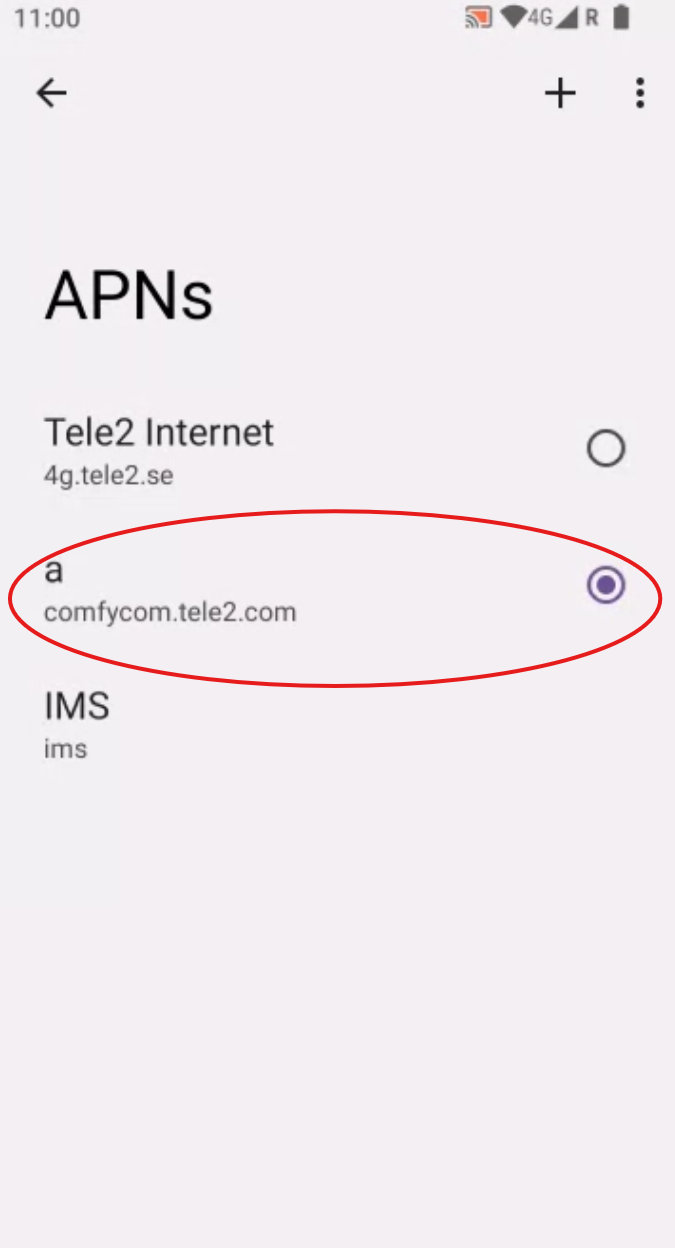
- Set the name to whatever you prefer. Set the APN to comfycom.tele2.com. Leave the remaining fields blank.
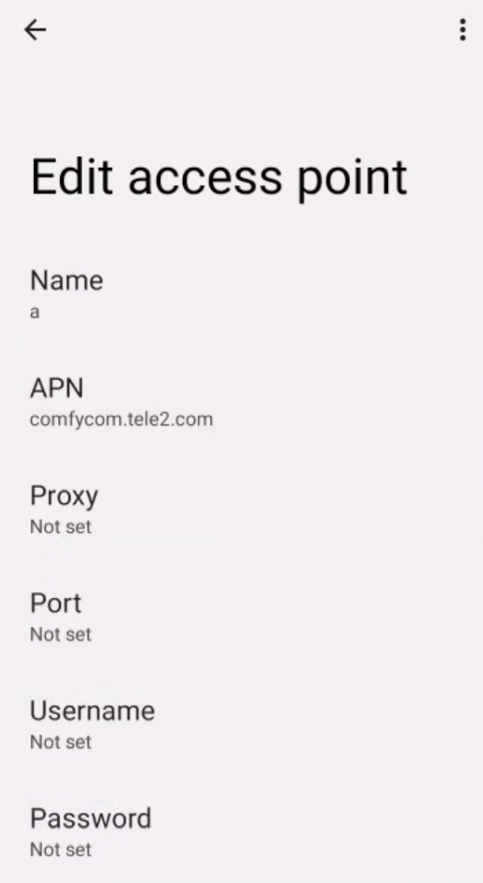
- Save the access point by tapping the three dots at the top and selecting Save.
-
Make sure the new access point is selected.