
This feature is not launched for all customers yet. If you are interested in being a pilot customer, contact support@favrit.com.
What the integration does
Mergeport acts as a bridge between Favrit and delivery platforms. Once connected, orders customers place on a delivery platform appear directly in Favrit, ready to accept.
See Mergeport's website for the current list of supported delivery platforms, as this may change over time.

How to activate the integration
The Mergeport integration is set up by Favrit support. Contact support@favrit.com to get started, and let us know which menu you'd like to use on the delivery platform.
Using Mergeport comes with an additional fee. Contact support for pricing details.
Changing which menu is used
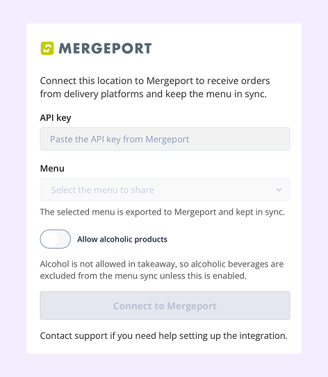
If you want to change which Favrit menu is shown on the delivery platform, go to Admin → Company Settings → Integrations → Mergeport and select a different menu.
How orders come in
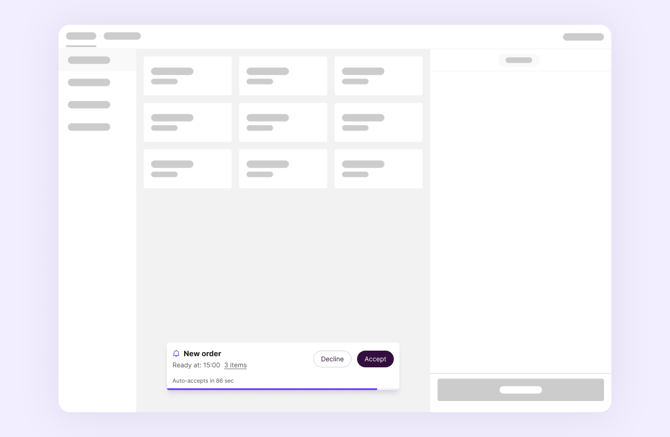
When a customer places an order on a connected delivery platform, it appears in Favrit as a new order you can accept or decline.
Notification
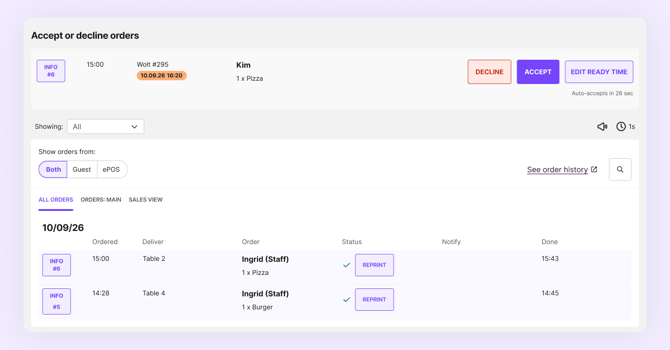
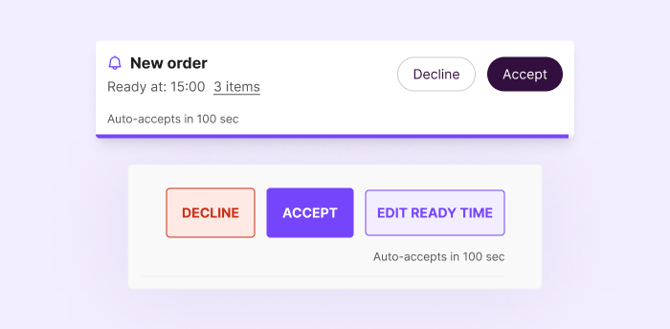
You'll get a notification for the order directly in ePOS. Clicking it opens the order details, where you can accept, decline, or change the ready time before accepting. The order also appears in the order view.
Change ready time
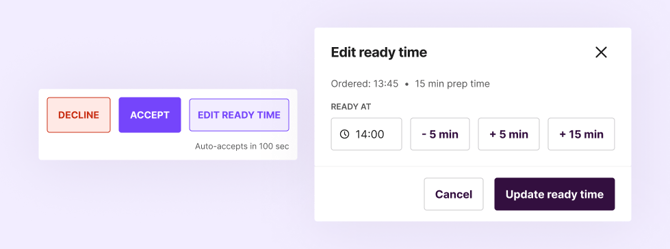
You can change the ready time before accepting, if you need more time to prepare the order. Editing the ready time after accepting isn't currently supported by the delivery platforms.
Auto-accepted after 100 seconds
If the order isn't accepted or declined within 100 seconds, it's automatically accepted, so the customer isn't left waiting. This is because the delivery platform requires a response from the venue within that timeframe.
Reports
Orders placed through Mergeport are registered under Unintegrated payments in your reports, the same place payments show up when using an external payment button in ePOS, such as the Wolt / Foodora / Uber Eats payment button.
Since Mergeport orders are now sent directly into Favrit, stop using the Wolt / Foodora / Uber Eats payment button in ePOS for these orders. Using both registers the payment twice.
Accounting integration
If your venue also has an accounting integration set up, remember to add a posting account for each delivery platform's payment type (Wolt, Foodora, Uber Eats), so Mergeport orders are included correctly in your accounting.