
What the integration does
Once connected, every sale you register in Favrit POS is automatically deducted from your stock in Vinify. There are no manual adjustments and no separate stock updates to keep in sync.
Vinify works for more than wine. You can track beer, spirits, mineral water and cocktails in the same system, and it handles sales by the glass as well as by the bottle.
How to activate the integration
Note: You need a Vinify account to enable the integration. If you don't have one yet and would like to, contact support@favrit.com.
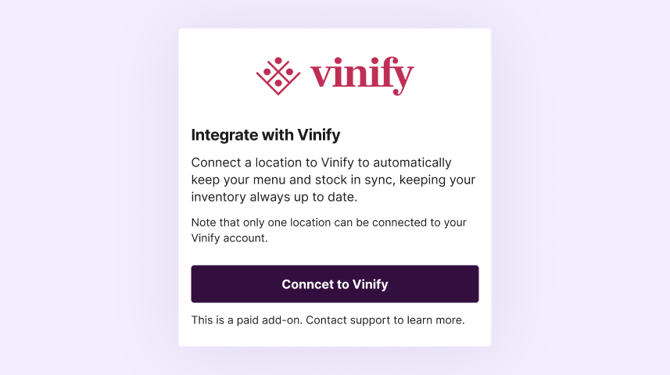
- Activate the integration in Favrit. Go to Admin → Company Settings → Integration → Vinify and click Connect to Vinify.
- Tell your Vinify contact that activation is done. This step is required before Vinify can prepare the system on their side.
- Vinify completes the integration. Vinify finishes connecting everything on their side, and will let you know once the integration is ready to use.
Do you have several locations?
The integration is tied to one physical inventory — one shared stock of drinks. It works well if you have several locations in Favrit that all sell from that same physical stock.
In that case, you set up one location as your "inventory" location that holds your Vinify sections, and those sections are then shared to the other locations that sell them. Sharing sections has to be done by Favrit, so contact support@favrit.com and we'll help you set this up.
The integration will not work if your locations each keep their own separate physical stock, since it can only track one inventory.
Adding Vinify products to your menu in Favrit
Once the integration is done, your Vinify products appear in Favrit in a dedicated Vinify Menu, sorted into sections. To find it, go to Admin → Menu and select the Vinify menu from the dropdown. If you need to, you can create subsections within the sections here.
You then choose how to bring these products into the menu your guests see:
- Add a whole section: Switch to your main menu, click Add existing section, and select the section from Vinify.
- Add individual products: Open one of your existing sections and click Add existing product, then select the products you want from Vinify.
Making changes to your products
Once the integration is set up, you make changes to your products in Vinify — not in Favrit. When you update a product in Vinify, the change is reflected in Favrit automatically and instantly, so your menu always stays in sync.
Set VAT and a printer on your products
Before you start selling your Vinify products, remember to set the correct VAT rate (tax group) and assign a printer to each product in Favrit. This makes sure sales are taxed correctly and that orders print in the right place, such as your bar printer. For more on VAT, see How do tax groups (VAT) work in Favrit?.
Good to know
How does automatic stock deduction on glasses work?
When a glass is sold in Favrit, Vinify deducts the correct volume from the matching bottle. For example, after five glasses of 15 cl are sold, one 0.75 l bottle is deducted from stock.
How long does the setup take?
For small and medium menus with up to around 250 products, setup usually takes about 2 hours. For larger menus with 500–1,000+ products, onboarding normally takes 1–3 days, which includes structuring and quality-checking the setup before you go live.
How often do we need to count stock?
Because stock updates automatically with every sale, most venues only need to count once a month as a check. Since the counts already match the till, counting becomes a quick verification rather than a full manual job.
What do we do if the stock doesn't match?
You have a full history of all sales and adjustments, so you can trace any movement. Filter by location or shelf to quickly find and correct a discrepancy.
Need help?
For questions about your product and stock setup inside Vinify, contact your Vinify representative. For questions about activating or using the integration in Favrit, contact support@favrit.com.